Choosing the right Thermal Label Sticker seems simple until a roll fails during a busy shipping shift. Ink fades. Adhesive lifts. Printer settings cause waste. Small details matter.
Mike Fairley, a respected label-industry consultant, has said, “A label is often the first point of contact between a product and its customer.” That practical view explains why label selection deserves more attention than price alone. A reliable Thermal Label Sticker should match the printer, surface, temperature, handling conditions, and expected storage period.
This guide shares seven useful tips for making a more confident purchase. It examines direct thermal and thermal transfer options, because they serve different labeling needs. It also considers label material, adhesive strength, roll dimensions, core size, print clarity, and supplier consistency. A warehouse label may face cold storage, dust, friction, or moisture. A retail label may need a cleaner appearance and sharper small text.
I have seen buyers focus on roll quantity and overlook printer compatibility. That mistake can create jams, crooked printing, and unnecessary downtime. Even experienced teams get this wrong. Testing a small batch first is usually wiser than ordering thousands immediately.
The best choice is not always the cheapest roll. It is the one that performs steadily in real working conditions. Check the details. Test the surface. Ask specific supplier questions. Then compare the results before committing to a larger purchase.
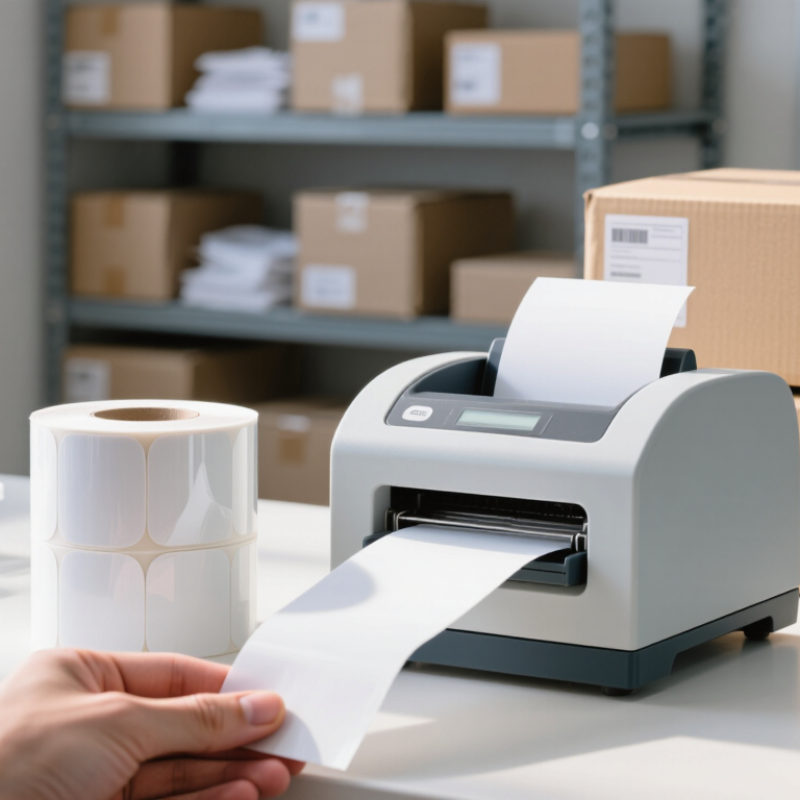
Thermal labels create images with heat, but the two main methods suit different jobs. Direct thermal printing heats a treated label surface, so no ribbon is needed. It is simple for short-lived shipping labels or receipts. However, sunlight, friction, and warm storage can make the print fade. A label left on a sunny loading dock may not stay readable for long.
Thermal transfer printing uses a heated ribbon to place ink onto the label. It often gives more durable results for inventory, outdoor use, or long storage. Match the ribbon and label material to the conditions: paper may work indoors, while synthetic stock can better handle moisture or abrasion. Test a small batch first. Real conditions can surprise you.
Tip: Check the printer’s method before buying. Direct thermal labels and transfer labels are not interchangeable in every setup. Confirm the roll width, core size, and printer compatibility, then print a sample with the actual text or barcode. Look closely at small characters and scan the code. A label that looks sharp may still fail at the scanner. Keep a few samples for later comparison; it is easy to forget how the first batch looked.
A thermal label sticker is only useful when it feeds cleanly through your printer. Check the printer manual for supported label materials and printing methods. Direct thermal printers need heat-sensitive labels; thermal transfer printers use a ribbon. The wrong combination can produce pale text, smudges, or labels that fade sooner than expected. Test a small roll before ordering a large supply. It is a simple step, though easy to skip.
Match the label size to both the printer and the job. Measure the available print width, then consider what must fit: an address, barcode, or short product description. A label that is too narrow may clip text at the edges. One that is too large can wrinkle or feed unevenly. Leave a little room around barcodes and text. I have found that a quick test print catches layout problems better than guessing from a screen.
Check the core dimensions, too. The core is the cardboard tube inside the roll, and its diameter must fit the printer’s holder. Also confirm the roll’s outer diameter and whether your printer accepts an internal or external roll. These details vary by model. A roll can have the right labels and still refuse to load. Printer specifications are the safest reference, even when a seller’s listing seems clear.
Check printer compatibility, label size, and core dimensions.
Roll cores are commonly offered in nominal diameters such as 0.5, 1, and 3 inches. These are example sizes, not a compatibility guarantee: check your printer’s specifications for supported core diameter, maximum roll diameter, label width, and sensor type before buying.
Thermal labels can look similar on a roll, but their materials behave differently in daily use. Direct thermal paper works well for short-lived shipping labels and receipts. It can fade faster when exposed to heat, sunlight, or friction. For products stored longer, compare coated paper or synthetic options and check whether they suit your printer. A small sample run is useful. Test it before ordering a large quantity.
Durability depends on more than the label face. Check adhesive strength on the actual surface, especially if it is textured, curved, or cold. A label that sticks well to a clean cardboard box may lift from a plastic container. Press a sample onto the surface, then rub an edge and leave it overnight. Not perfect science, but revealing. Also consider moisture and handling; a durable face can still fail if the adhesive is poorly matched.
Surface finish affects readability and handling. Matte labels reduce glare under bright warehouse lights and are often easier to mark by hand. Gloss finishes can make colors look sharper, though reflections may obscure small text. Look closely at print edges and barcodes after printing. Smudging? Try a different material or printer setting. Compare samples under the lighting where staff will actually scan them. Specifications help, but the real surface test matters more.
| Tip | What to Compare | Typical Options | Best Suited For | Buying Check |
|---|---|---|---|---|
| 1. Choose the printing method | Direct thermal or thermal transfer | Direct thermal labels darken with heat and need no ribbon. Thermal transfer labels use a ribbon to transfer the image. | Direct thermal: short-term shipping and receipts. Thermal transfer: longer-lived labels and many synthetic materials. | Check printer compatibility; the two methods do not use interchangeable label stocks. |
| 2. Match the face material to the environment | Paper or synthetic face stock | Paper is commonly used for general-purpose labels; synthetic films such as polypropylene or polyester are selected when greater moisture or tear resistance is needed. | Paper: dry indoor use. Film: damp, handled, or more demanding conditions, depending on the label construction. | Confirm the material’s suitability for expected temperature, moisture, and handling. |
| 3. Evaluate image durability | Resistance to heat, light, abrasion, and time | Direct thermal images can fade or darken with exposure to heat, sunlight, or friction. Thermal-transfer print durability varies with the face stock and ribbon combination. | Short-term tracking versus labels that must remain readable for extended periods. | Test a printed sample under the actual storage, transport, and handling conditions. |
| 4. Select the right adhesive | Adhesion, surface type, and application temperature | Permanent, removable, and specialty adhesives are available. Adhesion can differ on cardboard, plastic, glass, and textured surfaces. | Permanent identification, temporary labeling, or challenging surfaces. | Check the stated application-temperature range and test on the intended surface, especially if it is dusty, curved, or low-energy plastic. |
| 5. Compare surface finishes | Coated, uncoated, matte, or glossy finish | A thermal coating supports heat-sensitive printing. Matte finishes generally reduce glare; glossy finishes can offer a smoother appearance but may reflect more light. | Scanning, handwriting, display, or general labeling needs. | Print and scan a sample; confirm contrast and readability under the lighting where the label will be used. |
| 6. Check label and roll specifications | Label size, core, roll diameter, gap, and winding direction | Roll dimensions and sensing marks vary. Printers may use gaps, black marks, or continuous stock for media sensing. | Any application where accurate feeding and print alignment are important. | Compare every roll specification with the printer manual, including maximum roll diameter and supported media type. |
| 7. Verify storage and application conditions | Shelf storage, humidity, temperature, and surface cleanliness | Thermal stocks and adhesives can be affected by unsuitable storage or application conditions; recommendations depend on the product construction. | Consistent print quality and dependable label application. | Follow the supplier’s storage guidance, keep rolls clean and dry, and apply labels to clean, dry surfaces when specified. |
Specifications and performance vary by label construction, printer, ribbon, surface, and operating conditions. Verify product data and test samples before purchasing in volume.
Adhesive strength should match the surface, temperature, and handling conditions your labels will face. A carton stored in a dry room needs less grip than a plastic container kept in a chilly warehouse. Check the label supplier’s specifications for application temperature and service temperature; they are not always the same. Test the actual material, too. Dust, oil, and textured coatings can weaken contact.
A simple trial helps. Apply several labels to clean sample surfaces, press them firmly, then check them after a day and after exposure to expected conditions. Look for lifted corners, sliding, or residue when removed. Small details matter. If labels will face condensation or frequent handling, test those conditions rather than relying on a quick desk check. In my experience, a label that sticks well to cardboard may behave quite differently on a curved, powder-coated surface.
Avoid choosing the strongest adhesive by default. It may tear lightweight packaging or leave residue on reusable containers. One imperfect test can be misleading, especially if the surface was unusually clean. Keep notes on the substrate, temperature, and results, then repeat the trial before ordering in volume.
Balance Print Performance, Roll Capacity, and Overall Cost
The 2023 Parcel Shipping Index recorded 161.1 billion parcels worldwide in 2022. That volume makes label reliability a practical cost issue. A rejected label wastes materials, labor, and shipping time.
1) Match the material to the printer. Direct thermal labels suit short-term shipping use. Thermal-transfer labels support longer storage and harsher handling.
2) Check print contrast and barcode edges. ISO/IEC 15416 testing helps verify readable barcode quality.
3) Select the correct adhesive. Test it on cardboard, plastic, or cold surfaces before ordering thousands. Adhesive failure is expensive.
4) Measure the core, roll diameter, and winding direction. A roll that does not fit creates unnecessary downtime.
5) Compare usable labels per roll, not only the unit price. A larger roll can reduce changeovers, but only when the printer accepts its diameter.
6) Calculate total cost per printed label. Include waste, cleaning, rejected scans, storage, and operator time. A lower price can mislead.
7) Request samples from the same production batch. Check smudging, peeling, curling, and sensor response.
In my testing experience, glossy stock often looks impressive but may reflect light during scanning. That detail is easy to overlook. A 2024 logistics technology survey found that many warehouses are prioritizing automation, yet inconsistent label quality still interrupts workflows. I would also review seasonal storage conditions. Humidity changes performance. Sometimes, the “best” roll is simply the one that runs quietly for an entire shift.
Interested in working with our team? Reach out to our team for a no-strings-attached consultation.
1 (833) PPC-FLEX
1111 Busch Pkwy
Buffalo Grove, IL 60089, USA